The AI companion that turns
company context into work.

Capture meetings with the AI notetaker, connect the systems around your team, then ask Lens to act on any connected source of company data.

Self-serve, no sales call Records Zoom, Teams & Meet Nothing writes until you approve

Used by teams working in real operations

AI notetaker

It records the meeting and does the rest.

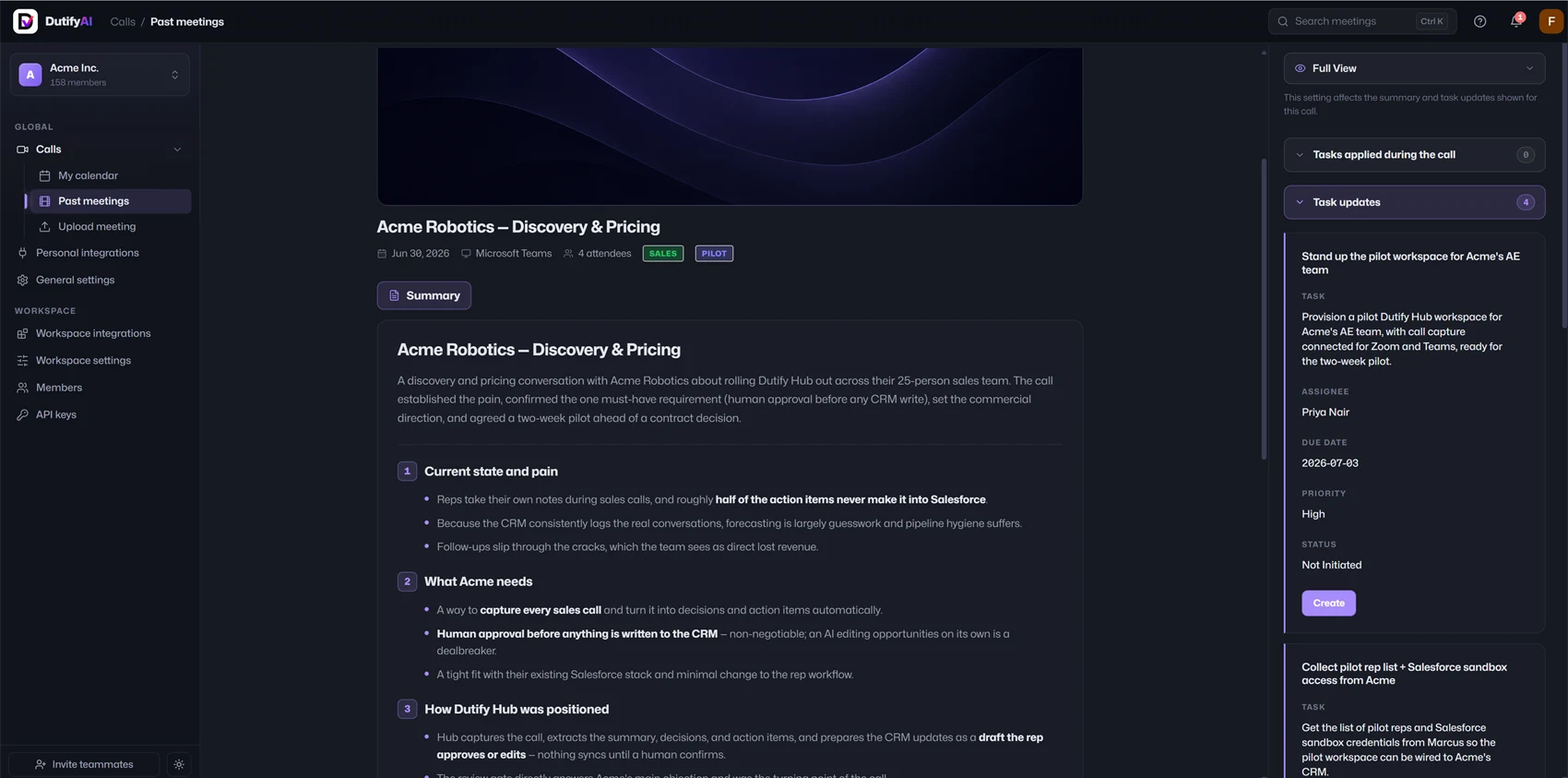
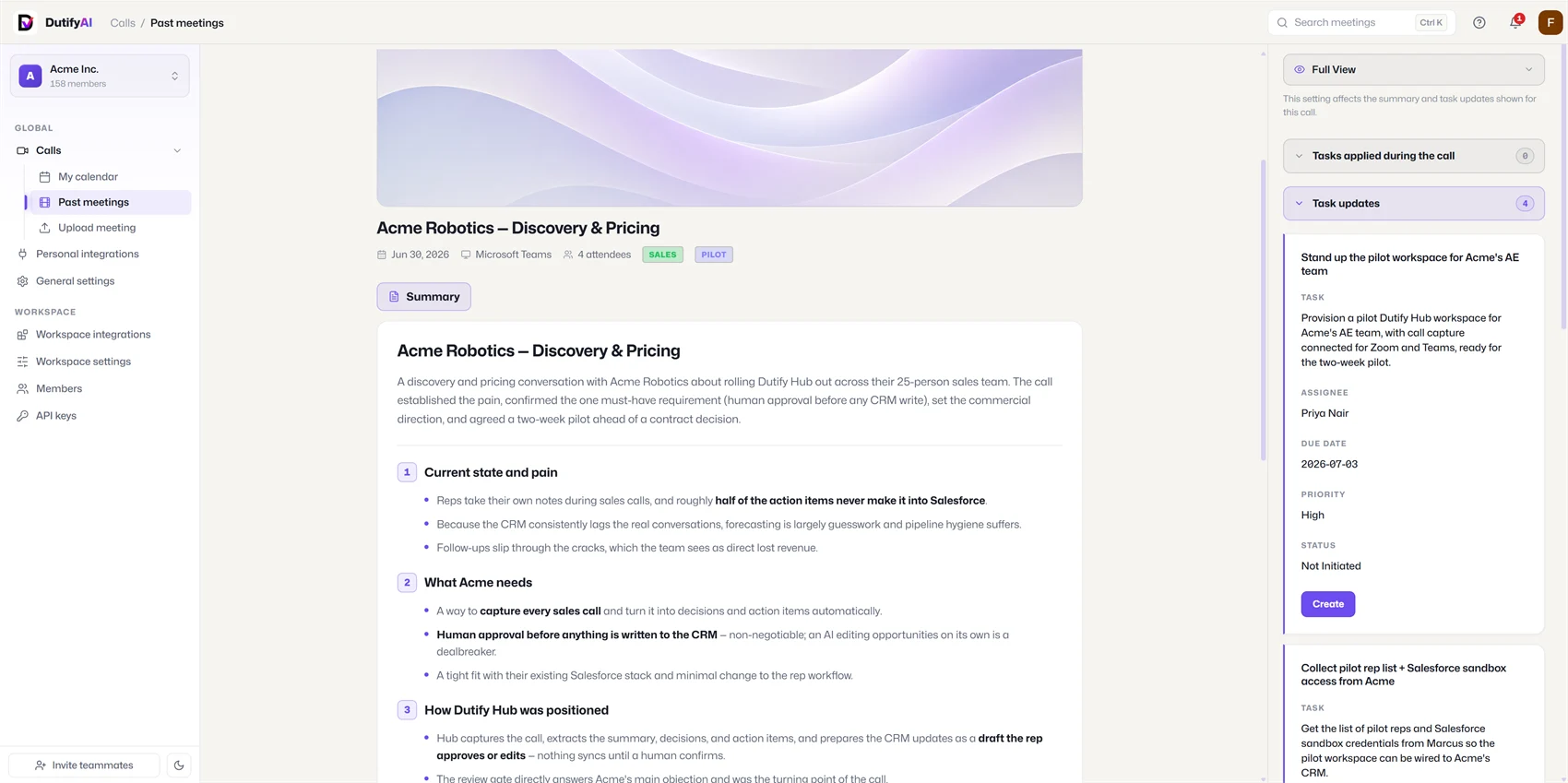
Each Zoom, Teams, or Google Meet call becomes source-backed context Lens can answer from - with the agreed follow-up ready to review and file.

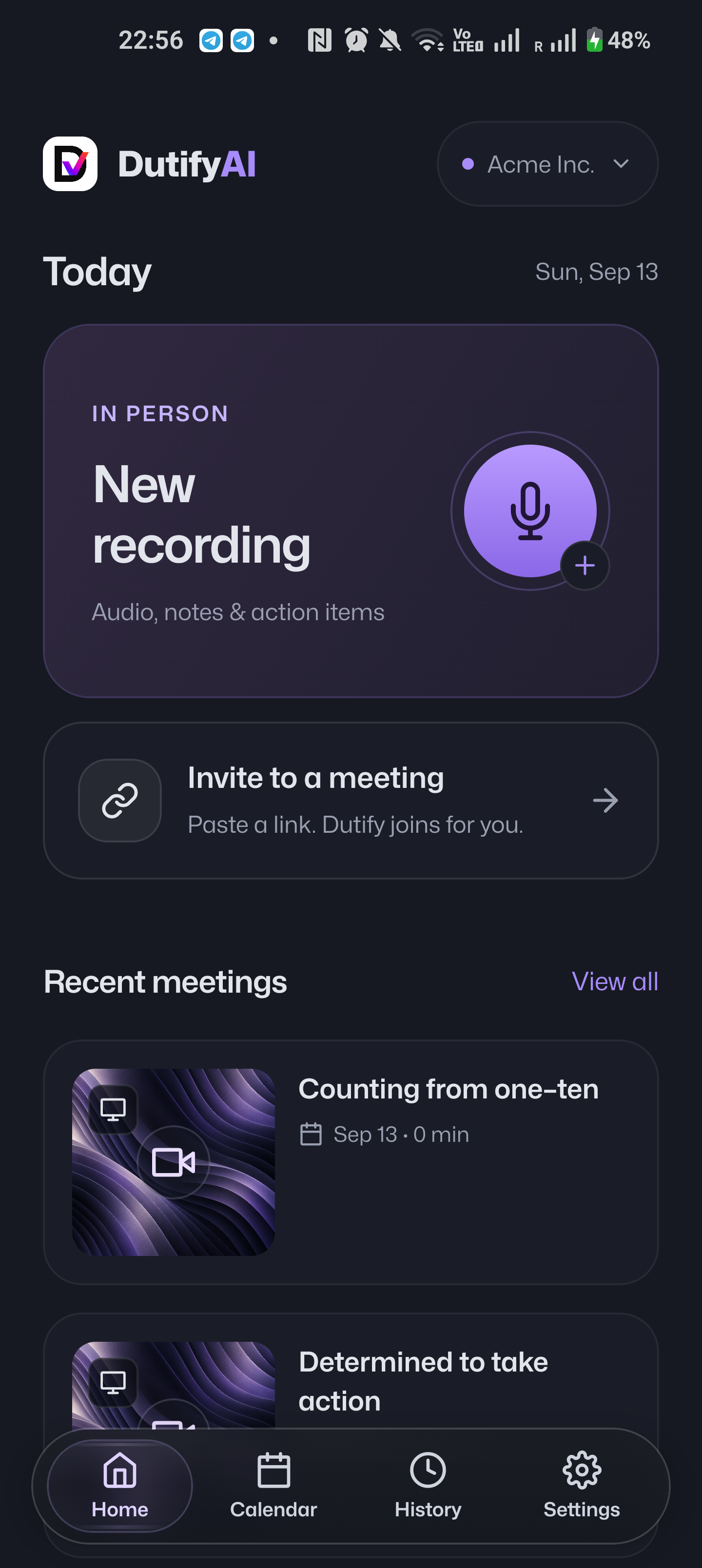
  • Joins live calls - or processes a recording you upload, the same way.
  • After the call, it drafts new tasks - and updates to existing ones - in your connected tracker.
Your AI companion

What Lens does once it's in your channel.

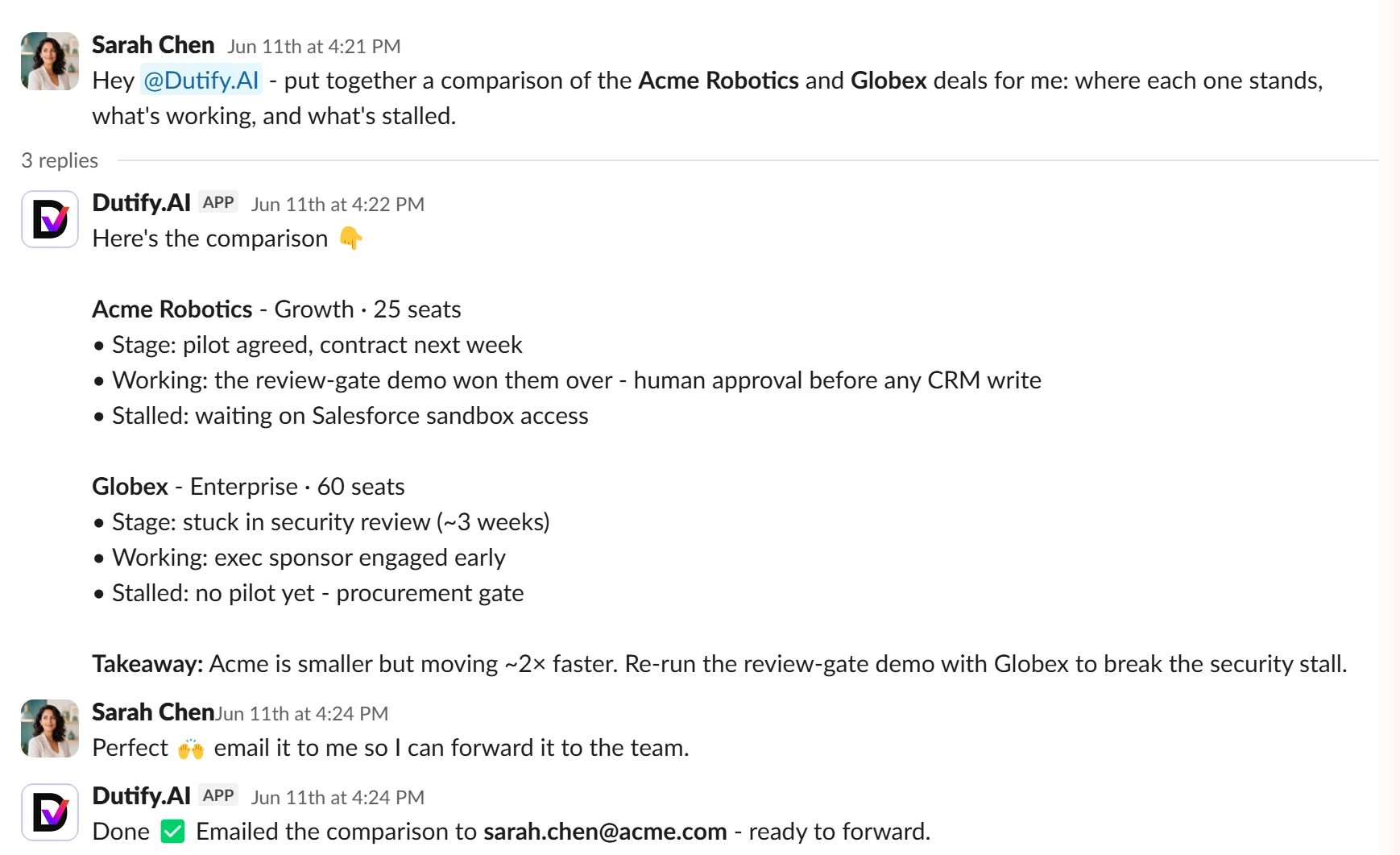
Ask Lens about meetings, tasks, or docs. It searches connected sources, answers with context, and handles follow-up - right inside Slack or Teams.

Works best with the Dutify Suite
Add Lens to Slack / Teams Self-serve · nothing writes to your tools until you approve
Lens acts

From "can you…" to done.

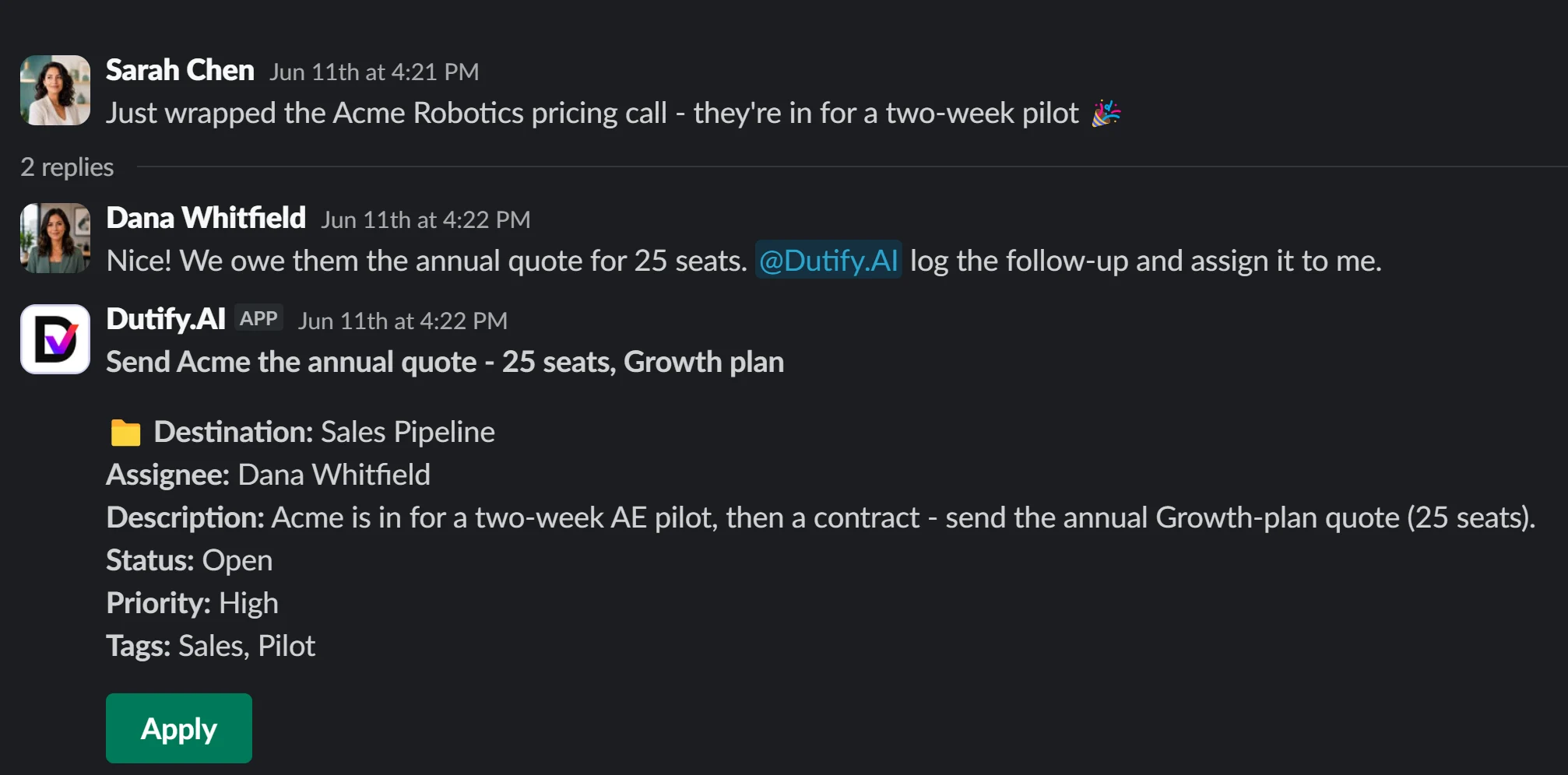
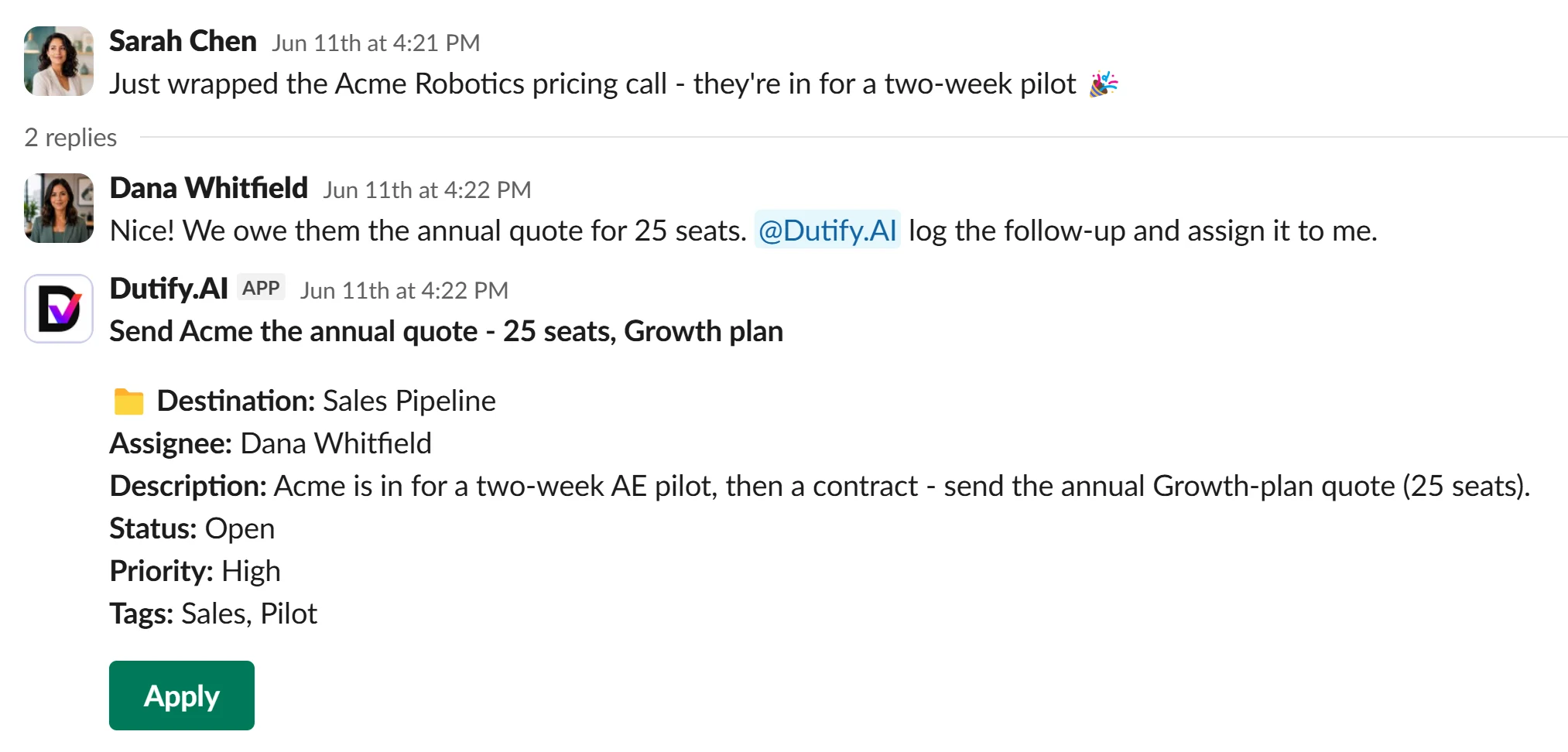
Lens doesn't stop at answering. Ask for the work in plain language - every action is proposed as a draft and runs only after you approve.

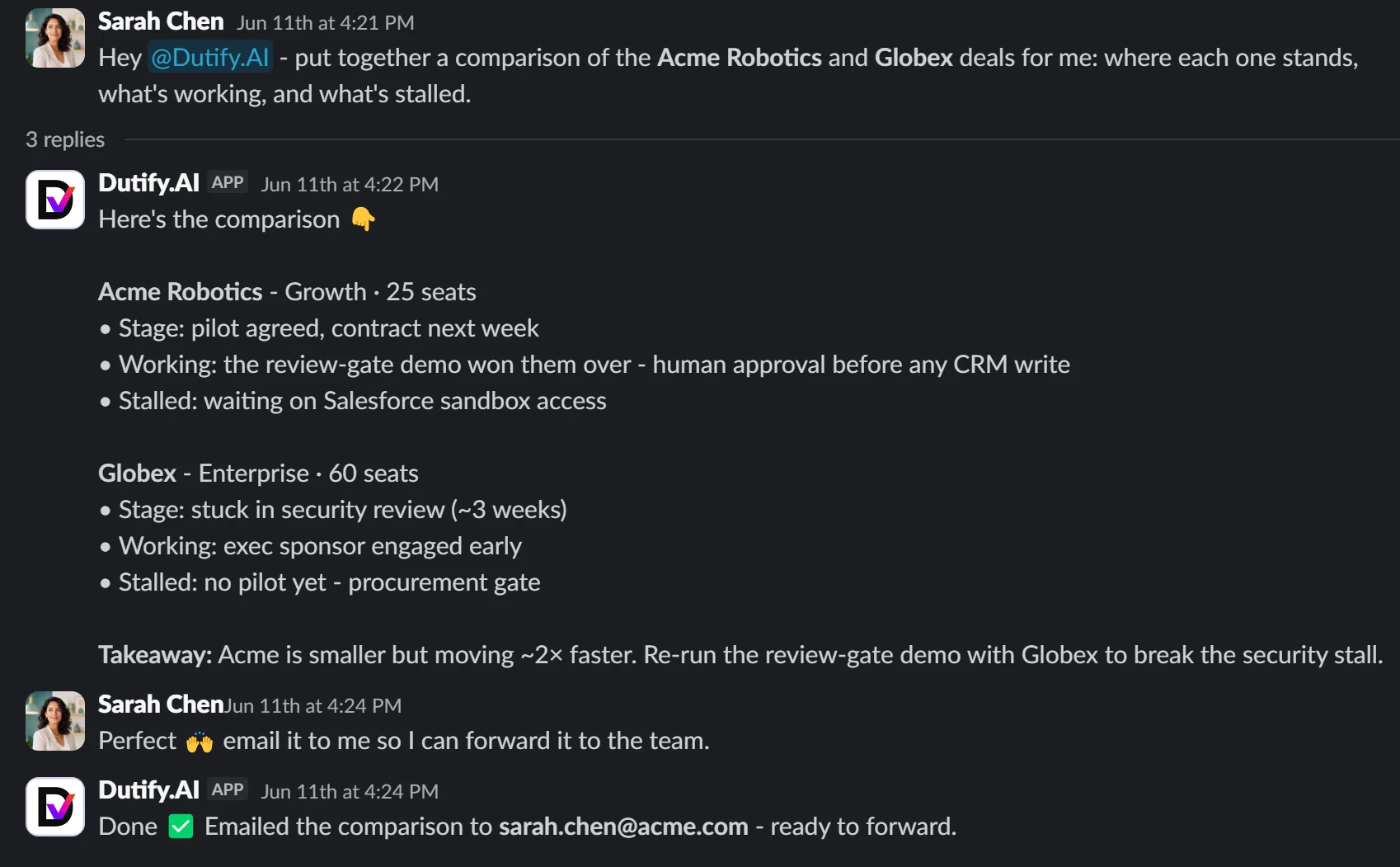
Communicate

Send the recap, chase the follow-up, post the decision back where the team lives.

email the comparison to Sarah so she can forward it Done ✅ Emailed to [email protected] - ready to forward.

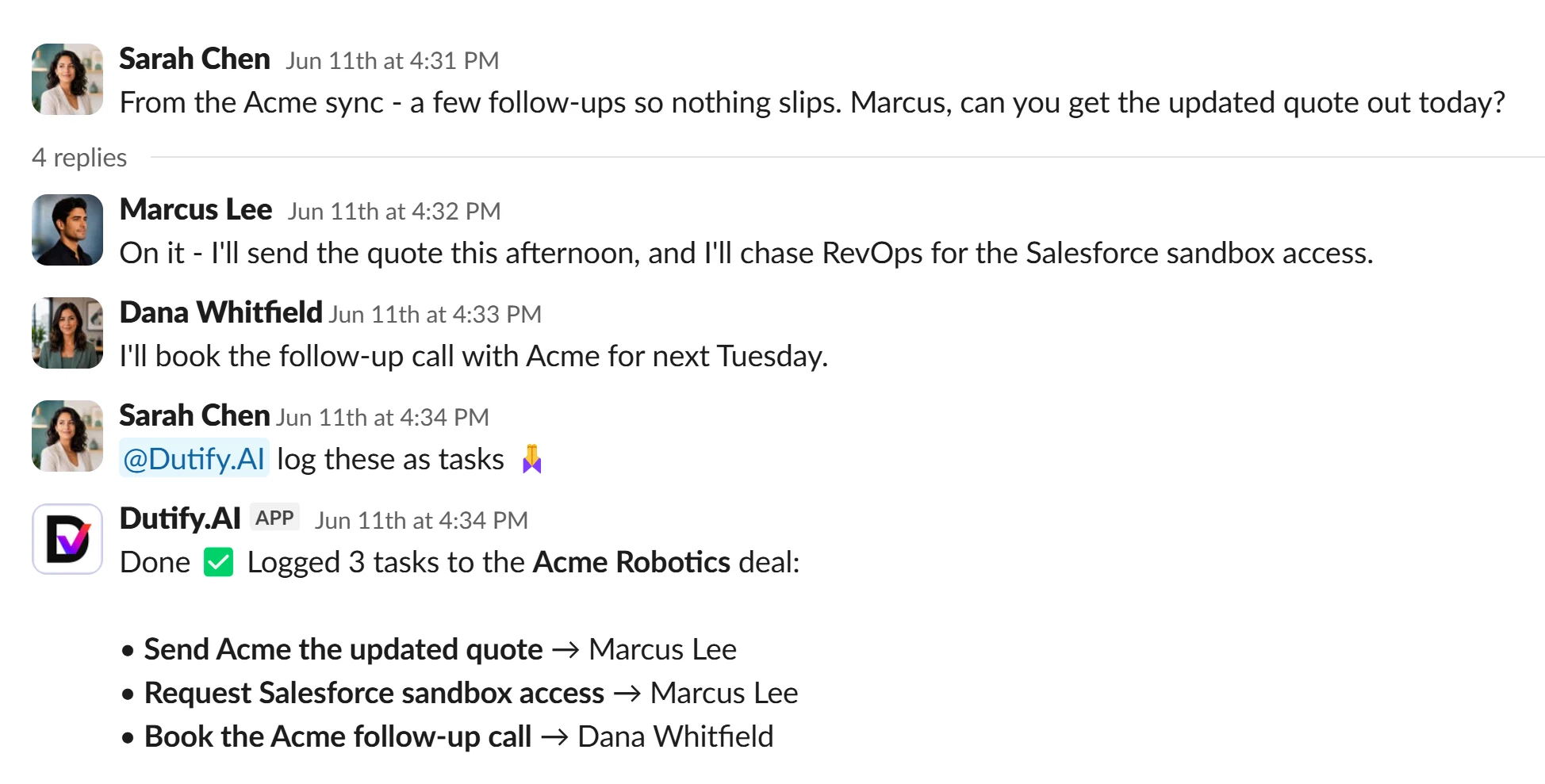
Move customer work

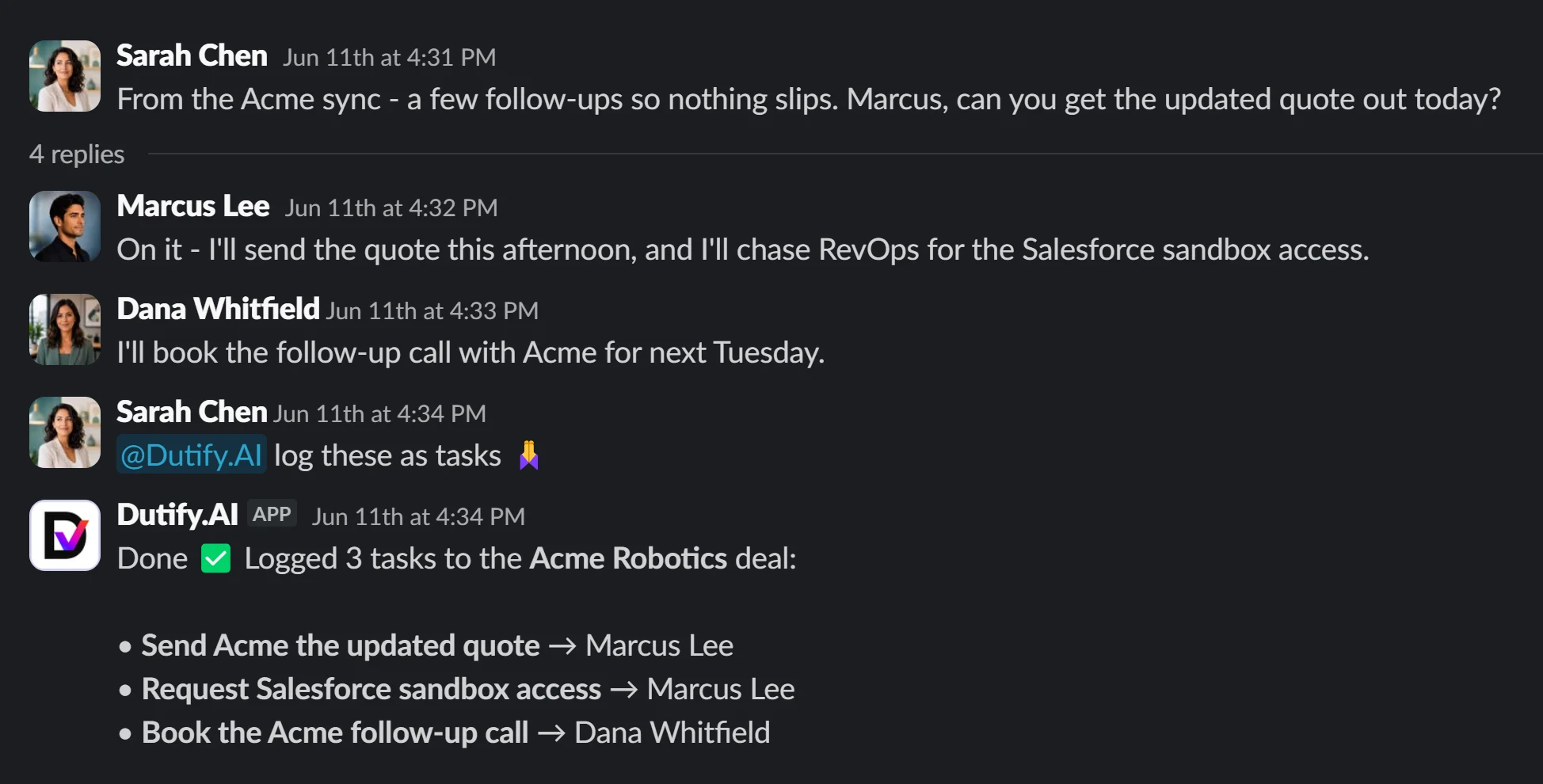
Create and update the tasks where the deal actually lives.
log these as tasks Done ✅ Logged 3 tasks to the Acme Robotics deal.

Run product & engineering

File the bug, open the issue, keep the board honest.

open an issue for the sandbox-access blocker Done ✅ Issue drafted - approve to create it.

Reach outside Hub

Calendars, docs, CRMs, boards - hundreds of tools through pre-vetted, SOC 2-certified connected actions.

book the Acme follow-up for next Tuesday Done ✅ Calendar invite drafted - approve to send.

Every action above is a proposal first - Lens drafts it, you approve it, then it runs.

The loop

Capture → Connect → Ask & Act → Review.

The same four steps, every meeting - from a call nobody wants to re-watch to reviewed work in your real tools.

01

Capture

The notetaker joins your calls - or upload a recording - and pulls out the summary, decisions, and action items.

02

Connect

Link the tools your team already runs on: trackers, chat, calendar, and docs.

03

Ask & Act

Ask Lens what happened or what's next - then tell it to prepare the work.

04

Review

Approve the draft, and it's filed in your system of record. Nothing writes until you say so.

Why Dutify Hub

Everyone owns a slice. Hub owns the whole loop.

Notetakers capture. Enterprise assistants answer. Automation tools fire. Hub does all four - standalone, with a review step nobody else makes the default.

Dutify Hub
AI notetakers
Enterprise AI assistants
Automation tools
Capture & summarize meetings
Answers across your real systems
meeting-scoped
Files reviewed work into your tracker
partial
no review step
Human review gate before any write
-
-
Lives in Slack / Teams - no new app
varies
varies
Standalone, self-serve pricing
~$60K / 100-seat floor

Category comparison, not a head-to-head spec sheet. Enterprise-assistant pricing reflects a publicly reported Glean enterprise floor; every Dutify Hub row ships today.

Connect your stack

Plug in the tools Lens should reason over and act in.

Connect the systems your work already lives in. Lens reasons over them to answer, and acts in them to file the work you approve: send the email, create the Jira ticket, update the tracker.

Slack
Microsoft Teams
Jira
ClickUp
Airtable
Confluencevia Atlassian
Email
GoogleCalendar & more
Dutify Cloud
Hundreds morevia connected actions

Outside tools connect through pre-vetted, SOC 2-certified action infrastructure.

Build on it

Bring Lens into your own software.

Hub is a product your whole team uses - and an API your builders can reach for. Ask Lens programmatically, or point your agents at the bundled MCP server.

Issue a scoped, revocable dh_live_ key, call the API, or point Claude / Cursor at the bundled MCP server. Every endpoint a key can reach is whitelisted by its scopes - deny-by-default.

ask lens · curl
# ask Lens, scoped to one workspace
curl https://dutify.ai/api/v1/lens/chat \
  -H "X-API-Key: dh_live_…" \
  -d '{"message":"what did we decide?"}'
→ { answer, sources: [recording, task] }
SCOPED KEY · DENY BY DEFAULT
lens:chat recordings:read integrations:read calendar:read @dutify/mcp
Every write is a draft you approve Access boundaries aren't flattened Scoped to the channel that asks Cites sources - or says it isn't there
Pricing

Transparent and self-serve - no six-figure floor.

AI notetaker plans include transcription. Lens answers and actions are billed by usage - efficient by design, with clear guidance when you talk to us.

Lens is usage-based. Answers, searches, and actions are billed separately from transcription, but the system is built to keep usage efficient. Talk to us and we will estimate it for your workflow.
FAQ

Questions, answered.

Where do I chat with Lens?
In Slack or Microsoft Teams - the channels your team already uses - or programmatically via the API. There's no separate app to open; Lens comes to where you work.
Which meeting platforms does it support?
Zoom, Microsoft Teams, and Google Meet. You can also upload a recording you already have and Lens will process it the same way.
Will it change my tools without asking?
No. Every write is a draft proposal you review and approve first. Nothing is created or updated in Jira, ClickUp, Airtable, or Dutify until you say so.
Is my data walled off?
Lens only reads what each workspace and channel is cleared to see, and recording access isn't flattened by workspace membership. Answers come from indexed data and cite their sources.
Can I build on it?
Yes. Issue a scoped, revocable dh_live_ API key, ask Lens via POST /api/v1/lens/chat, browse the public OpenAPI catalog, or point your agents at the bundled MCP server (@dutify/mcp).
Do I need the whole Dutify suite?
No - Dutify Hub works standalone. If your team also runs on Dutify Cloud (PM) or Codexum (Wiki), Lens reads them natively, but the suite is optional.
Part of the Dutify suite

Works with your tools - and goes deeper on Dutify.

Use Hub with your existing stack, or go deeper with Dutify Cloud, Codexum, and Roadmarq. Lens reads native suite structure - work, docs, and roadmaps - without requiring the full suite.

Dutify Cloud Codexum Roadmarq
Lens reads them natively
Start in minutes

Turn your next meeting into
answers and action.

Capture the call, ask Lens what was decided, and file the agreed work in your real tools - reviewed by you, in the channel you already use.

Records Zoom, Teams & Meet Answers from your connected tools Nothing writes until you approve